A guided tour of PepRally
Real screens, in the order you actually use them—from Today and the curated library through inventory, cycles, dose logs, wellness, results, AI research tools, and practitioner links. The same research ledger syncs across web, iPhone, Android, and Apple Watch, so you can start on desktop and log from your phone or wrist.
Step 01
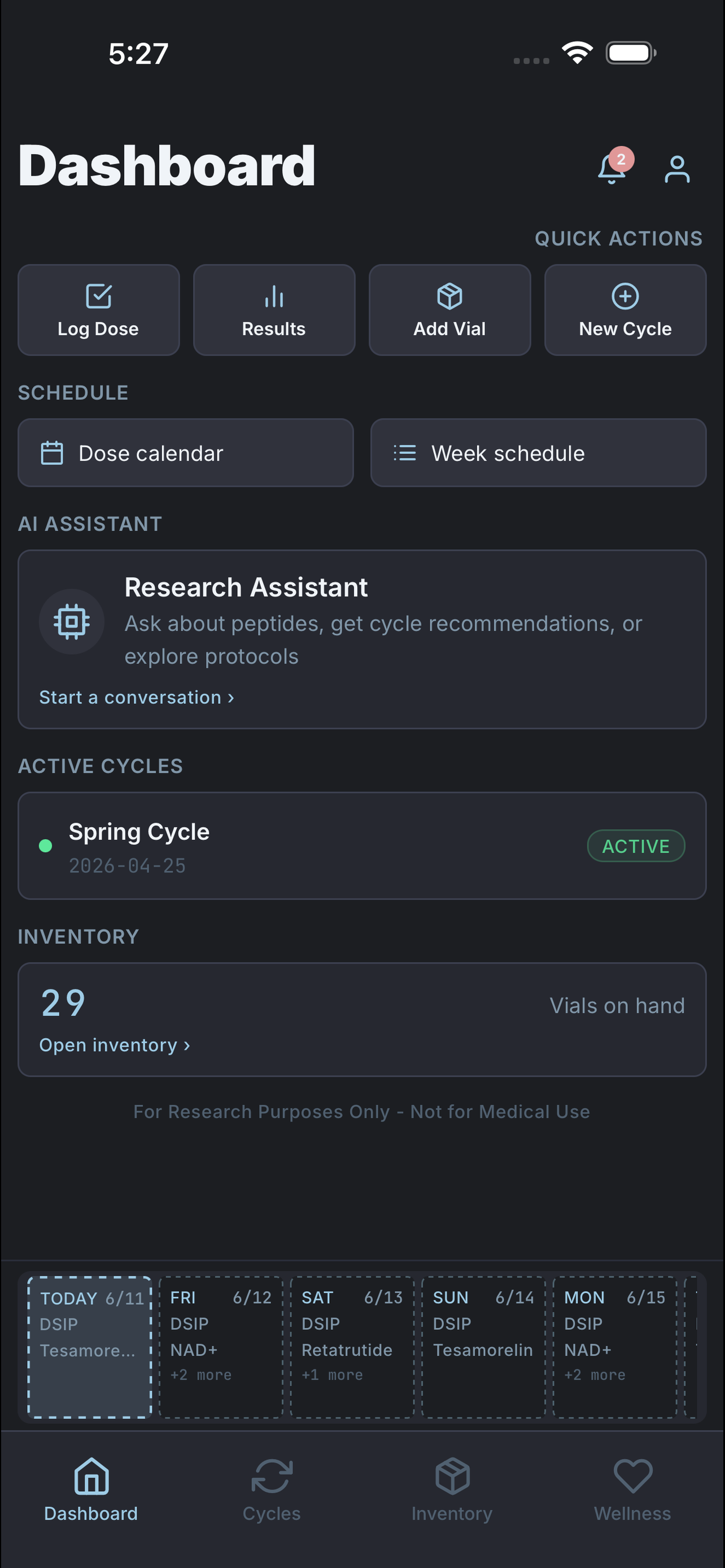
Start on Today
Today is your daily briefing: doses due now, missed-dose catch-up, cycle progress, week lookahead, and quick hops to log metrics or wellness—same feed on mobile and the signed-in web dashboard.
The nice part: you open the app and you're already oriented—what to log now, what slipped, and what's coming this week, without hunting through menus.
Step 02
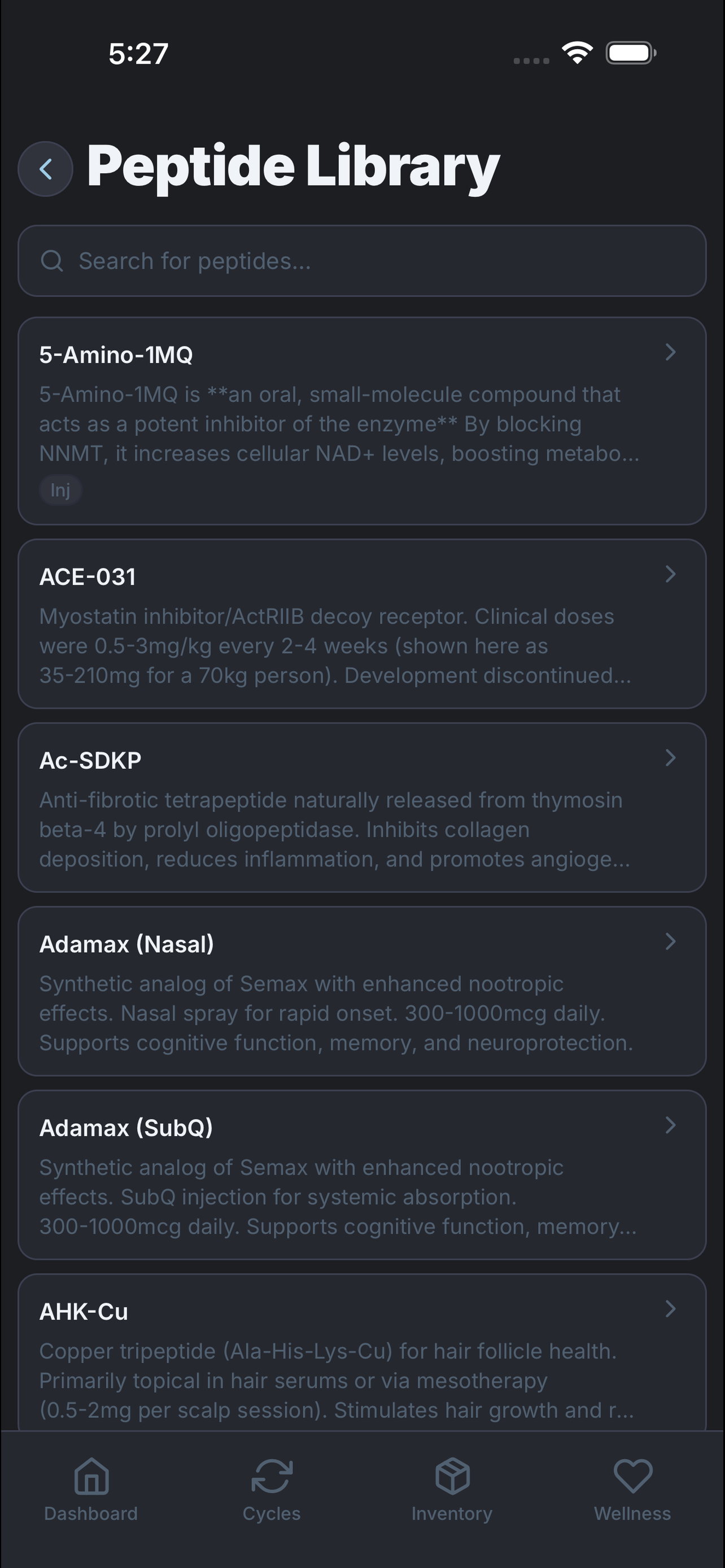
Find peptides in the curated library
Search a curated reference library with typical dose, frequency, half-life, and storage notes as a starting point for your own records.
Less rabbit-holing: start from vetted reference data instead of a dozen open forum tabs, then tweak it to fit your own protocol.
Step 03
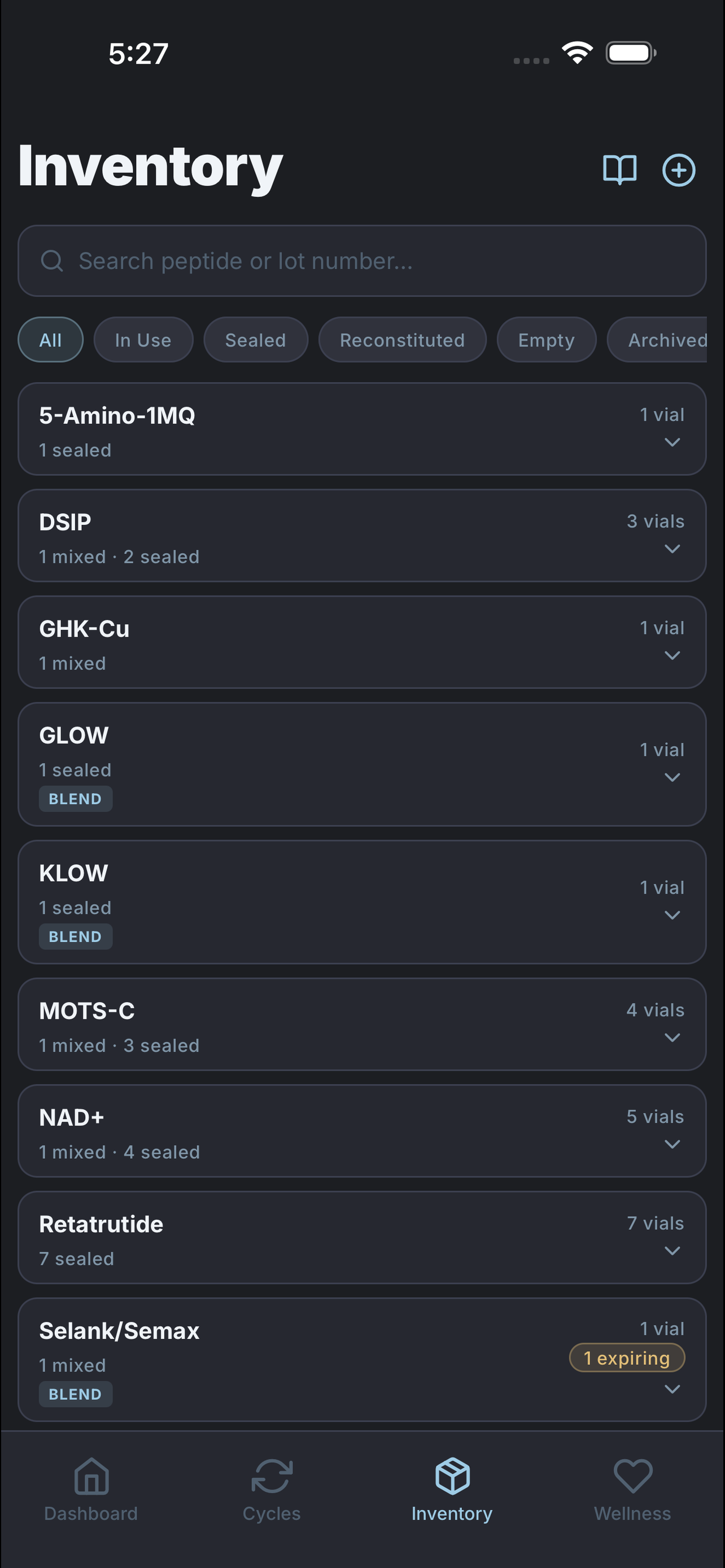
Track vials and supplies
Log vials with lot number, quantity, and expiry, reconstitute with a live concentration helper, and keep BAC water, syringes, and other supplies in the same inventory.
Your future self says thanks: no midnight concentration math, low-stock and expiry peeks before a cycle stalls, and supplies counted next to the vials that need them.
Step 04
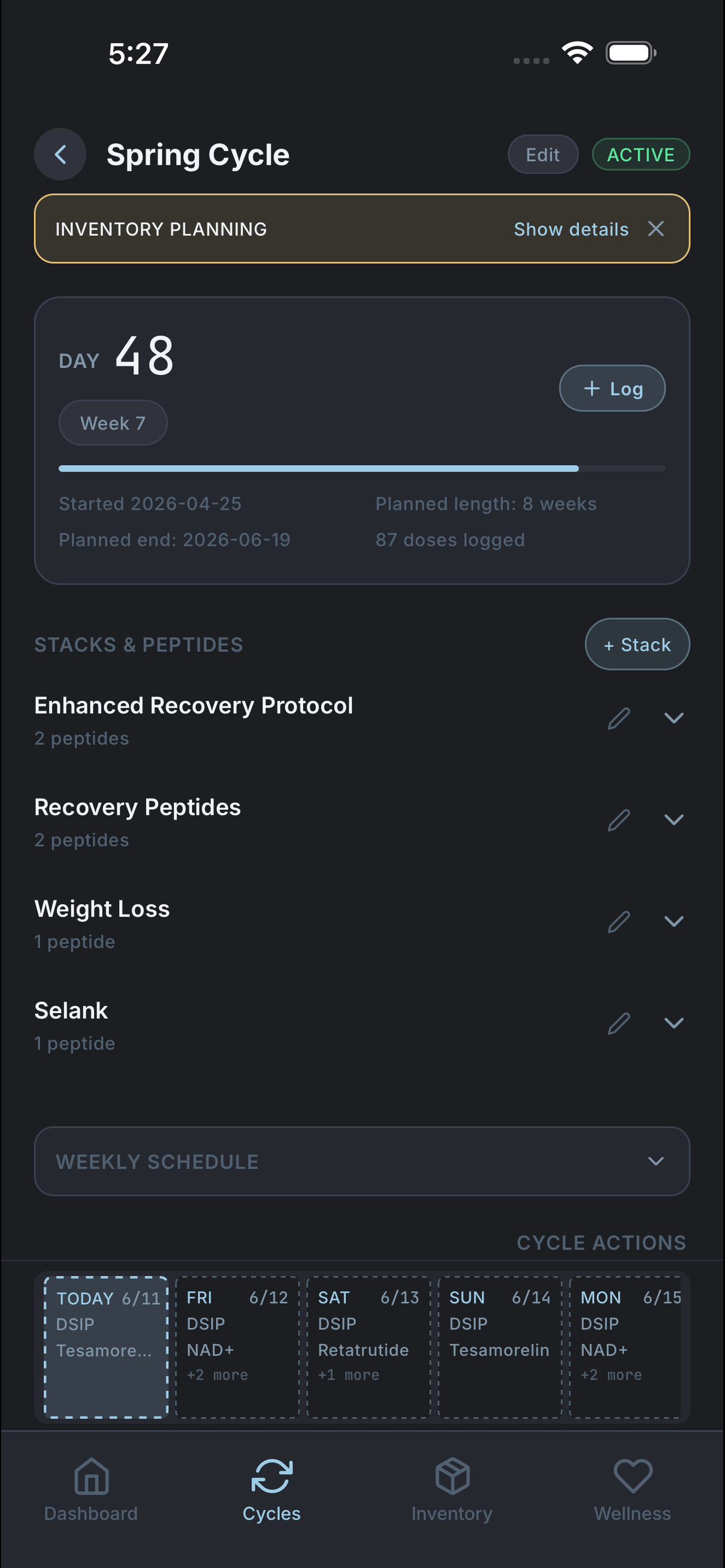
Build a cycle
Turn peptides into a multi-week plan with target doses, timing, weekday frequency, and a weekly schedule you can actually follow.
Here's the win: the plan builds its own schedule, so sticking to it becomes the easy path—not the disciplined one.
Step 05
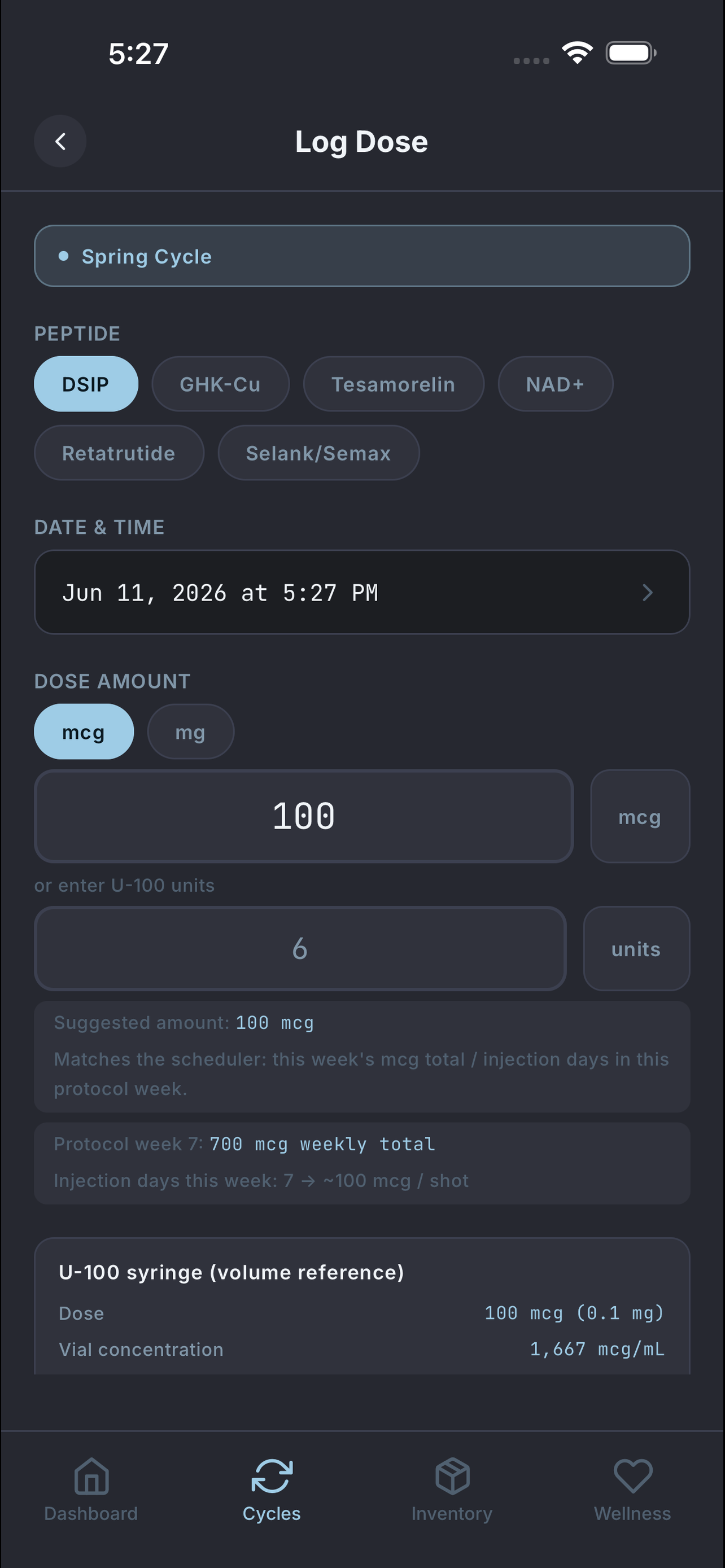
Log every dose
Record dose, injection site, vial draw, and timing in seconds on web, mobile, or Apple Watch—the details stick instead of slipping away.
The clever bit: every log feeds a half-life estimate of how much peptide is still active in your system, drawn as a live decay curve—so you're looking at where your levels actually are, not just a list of what you did.

Step 06
See the decay curve
Catalog half-life decay sits on Today and cycle detail. Curves follow published t½, and the last logged dose when one exists. Research use only — not individualized pharmacokinetics.
One glance at the curve instead of mental math — estimated remaining activity from the logs you already keep.
Step 07
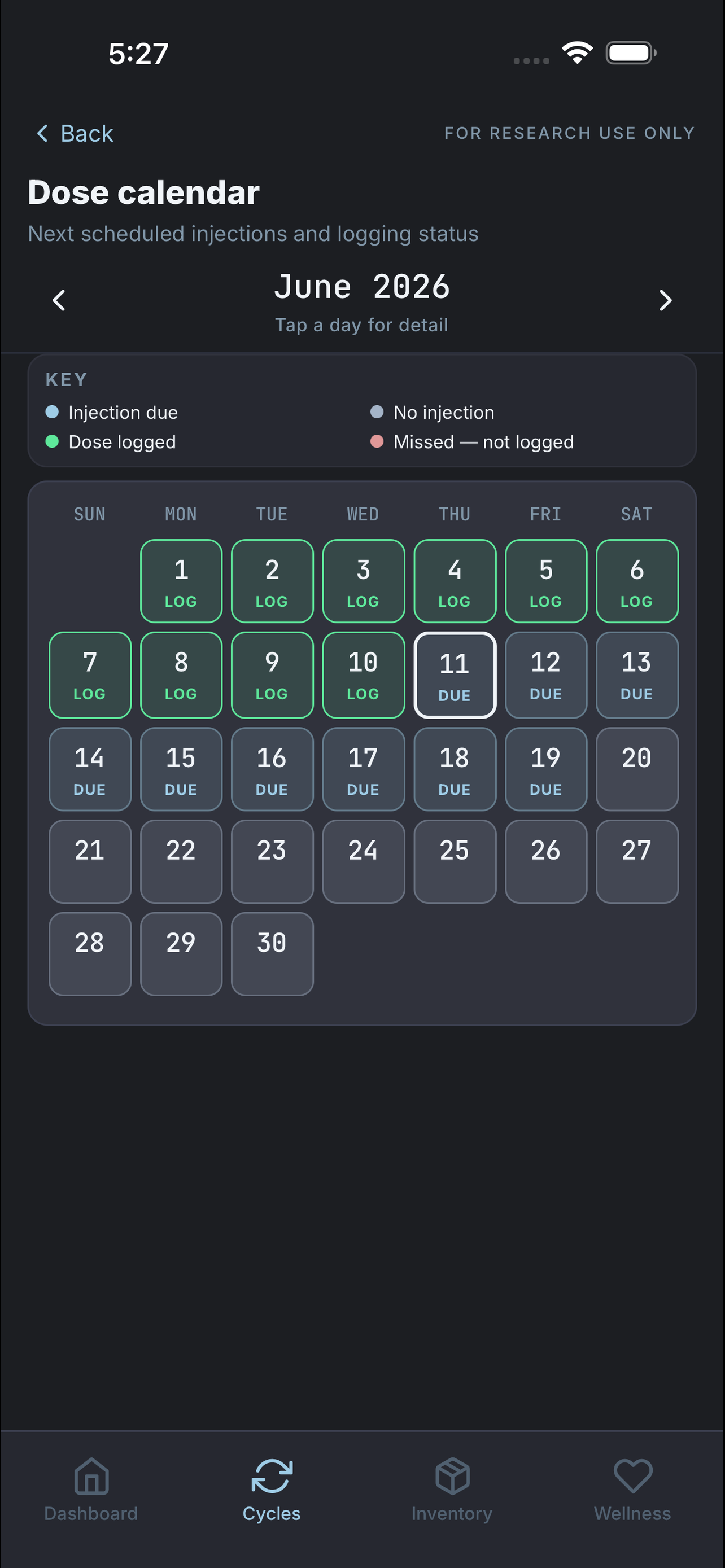
See the whole schedule
A month calendar and week strip show what's due, taken, rested, or missed at a glance across every active cycle.
Why you'll care: your whole month is one glance away, so a single missed dose never quietly snowballs into a habit.
Step 08
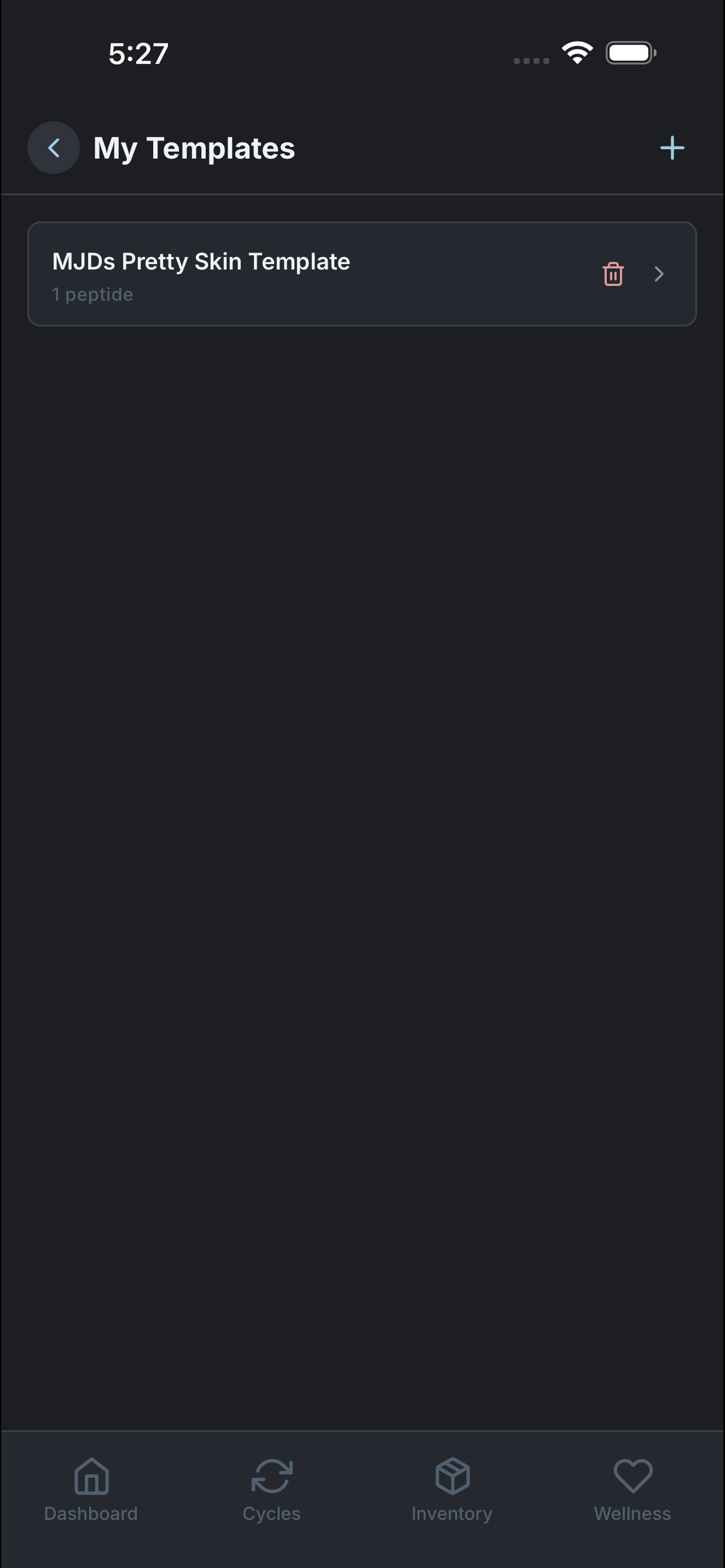
Reuse stacks as templates
Save proven stacks—including full per-peptide dosing presets—and browse templates to start your next cycle without rebuilding from scratch.
Less busywork: your next cycle starts in seconds—reuse what worked instead of typing the whole thing in again.
Step 09PRO
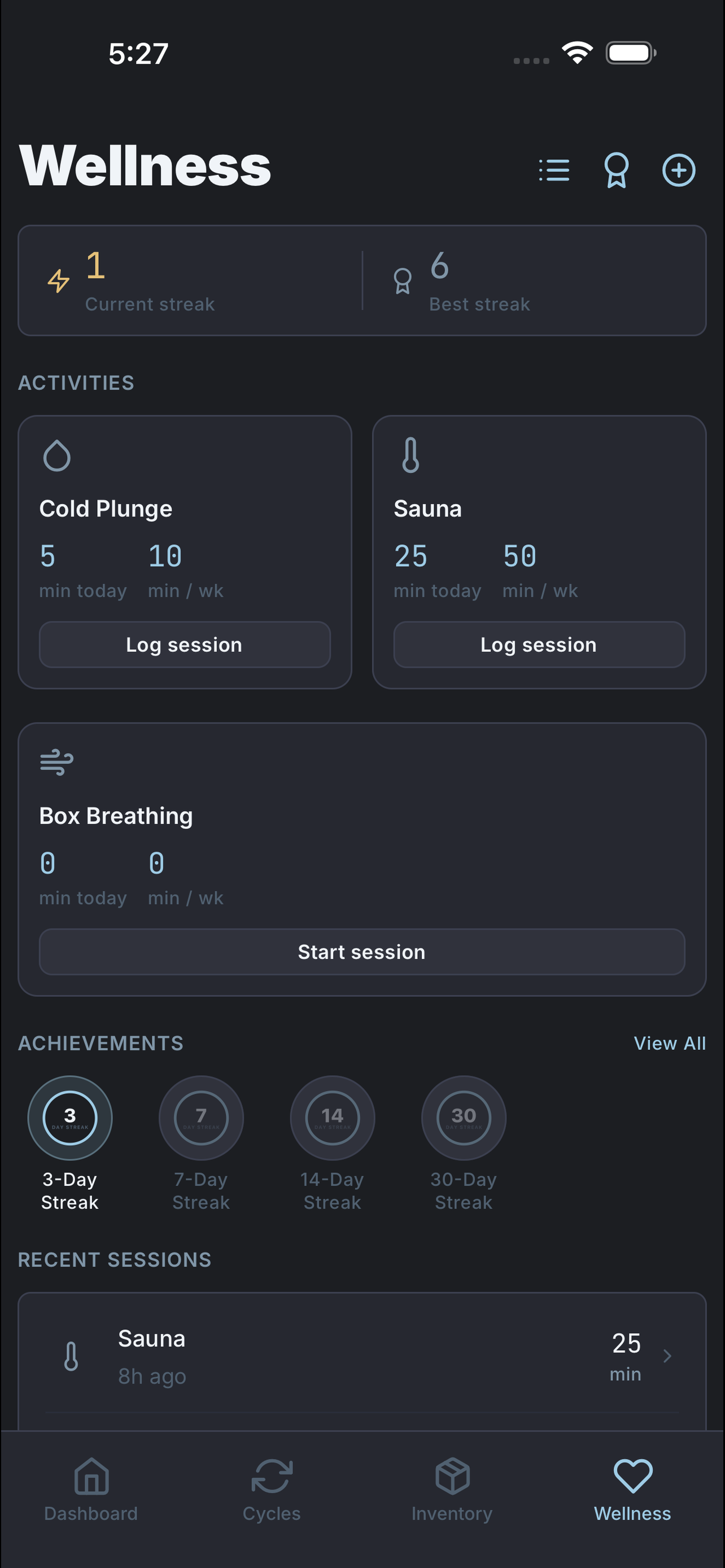
Track recovery sessions
Log cold plunge, sauna, and guided box breathing alongside your protocol. Streaks, time milestones, and achievement badges reward consistency—Pro only.
The bonus: recovery sits in the same research ledger as your doses, with streaks and badges that prove you showed up—no separate wellness app required.
Step 10
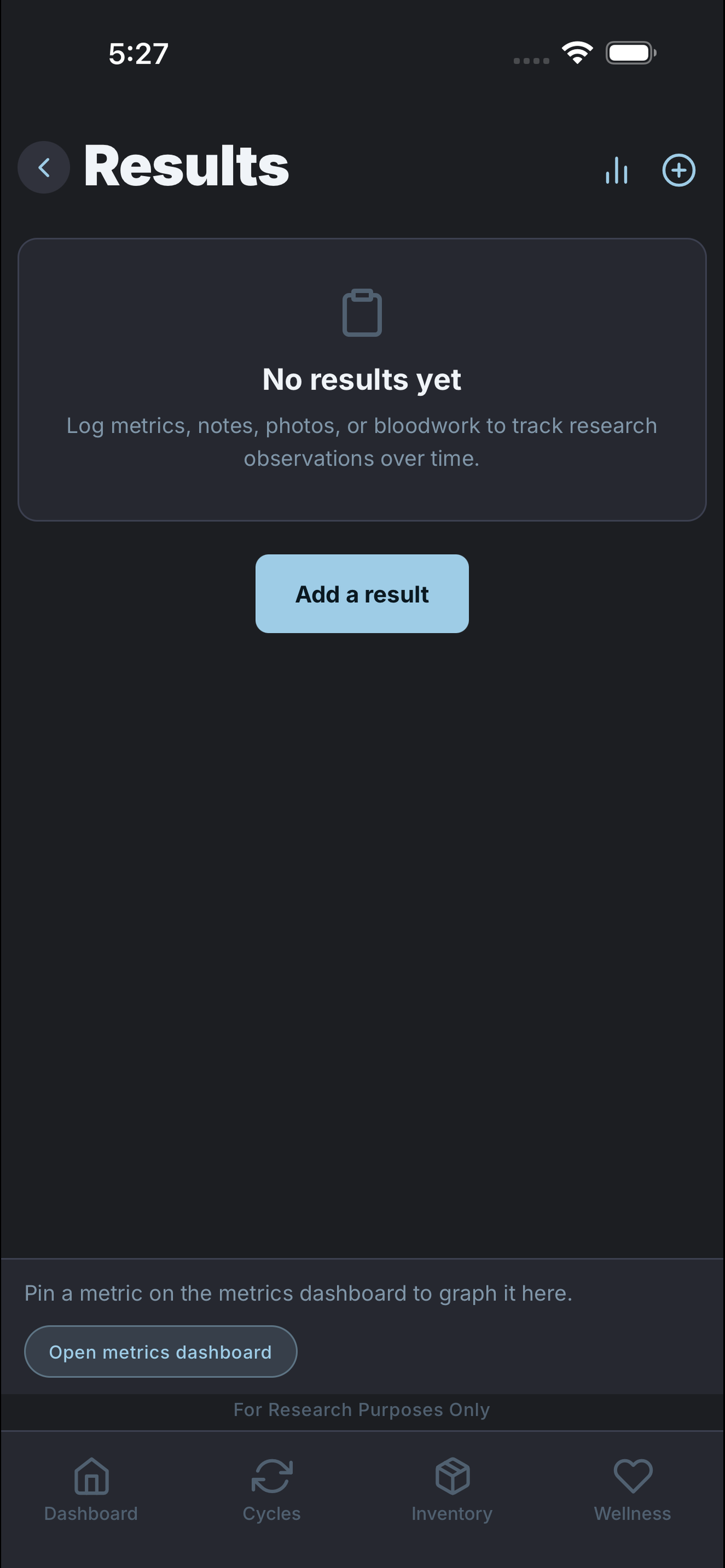
Keep results tied to runs
Metrics and research notes on every tier; Pro adds research PDF export lined up with the cycle they belong to.
Where it pays off: months later, every metric and note is still pinned to the exact cycle that produced it—no detective work.
Step 11PRO
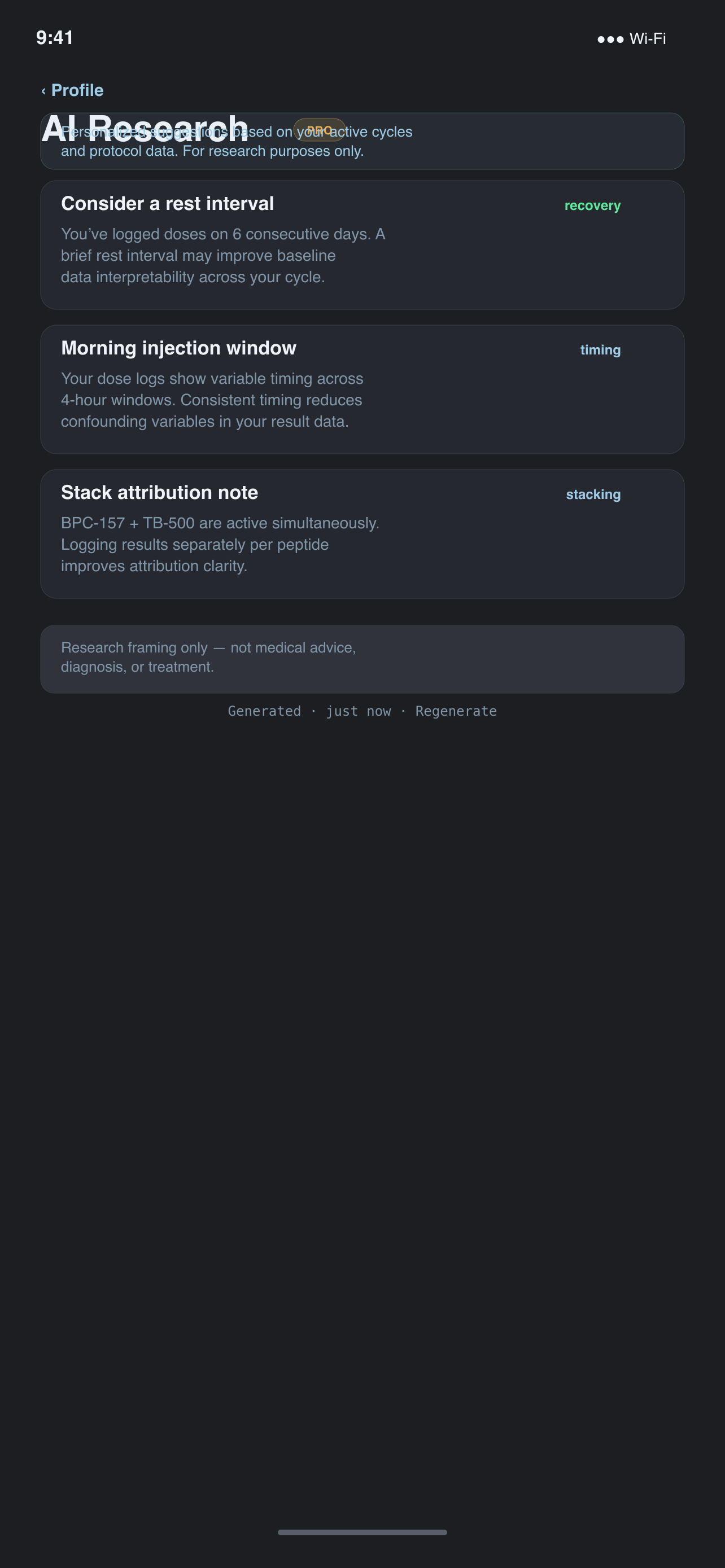
AI research suggestions
Pro turns your active cycles and dose history into research-framed suggestions—categories, references, and regenerate when your protocol changes. Framed for record-keeping, not medical advice.
Less context-switching: protocol-aware prompts and source links land in one place, so you can dig into literature without rebuilding your stack notes from scratch.
Step 12PRO
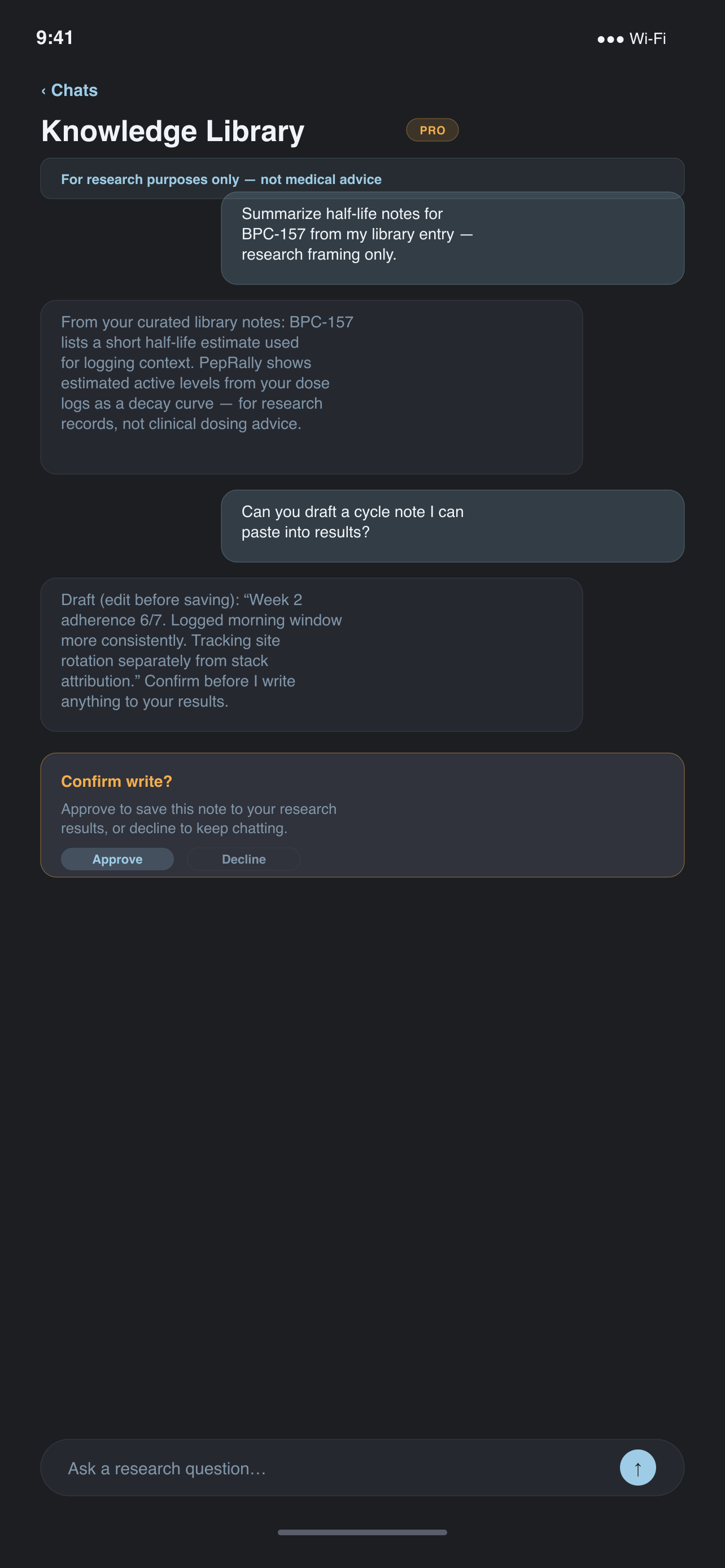
Ask the knowledge library
Streaming chat over your research workspace—ask about peptides, cycles, and logging workflows. Tool actions that would change data ask you to confirm first. Pro only; research purposes only.
A second brain for the ledger: get answers in the same app where you log, without pasting protocol details into a random chatbot.
Step 13
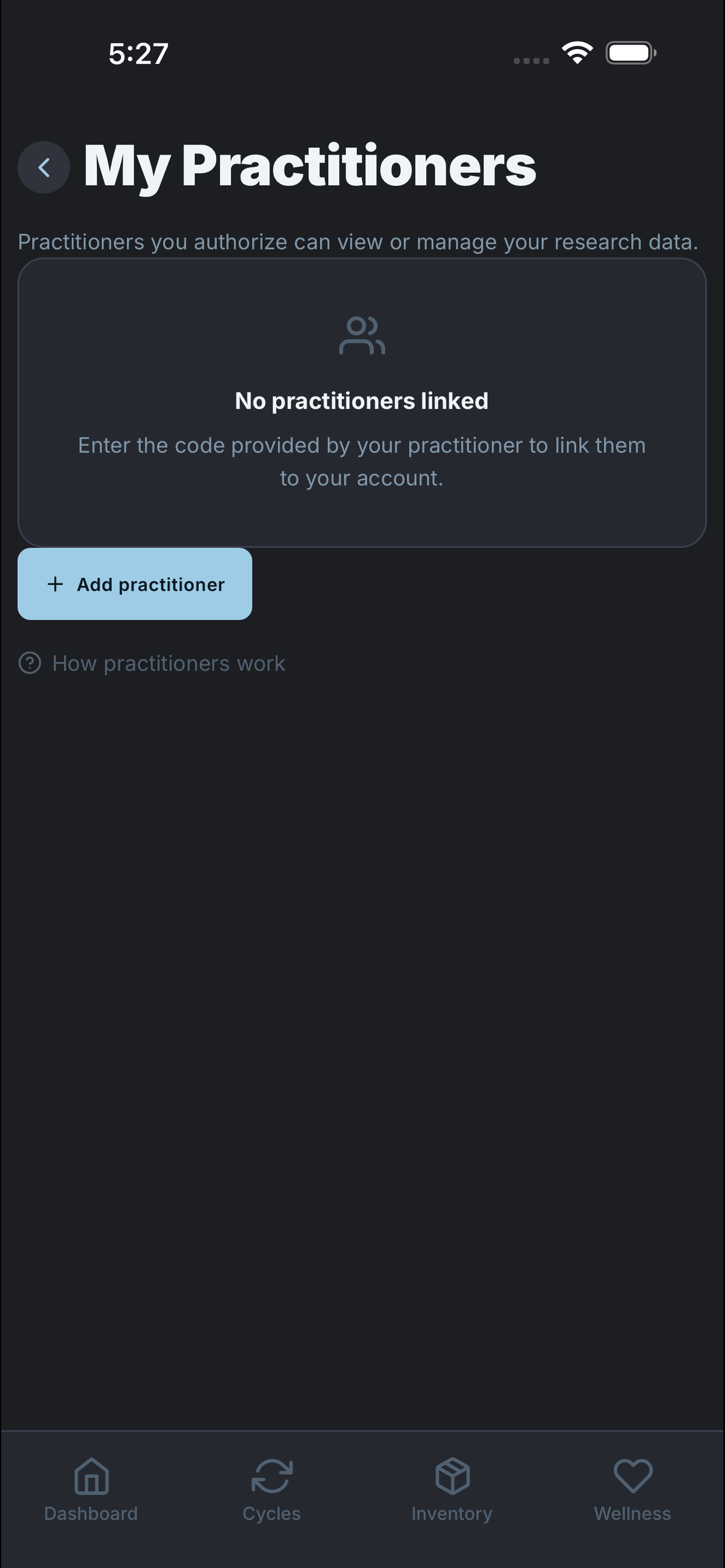
Link a practitioner when you need one
Redeem an invite code to grant View or Manage access. Practitioners can review your cycles and inventory—or build stacks and log doses on your behalf—from the web portal. You can revoke anytime.
Collaboration without chaos: one shared research workspace, clear access levels, and you stay in control of who can see or edit your records.
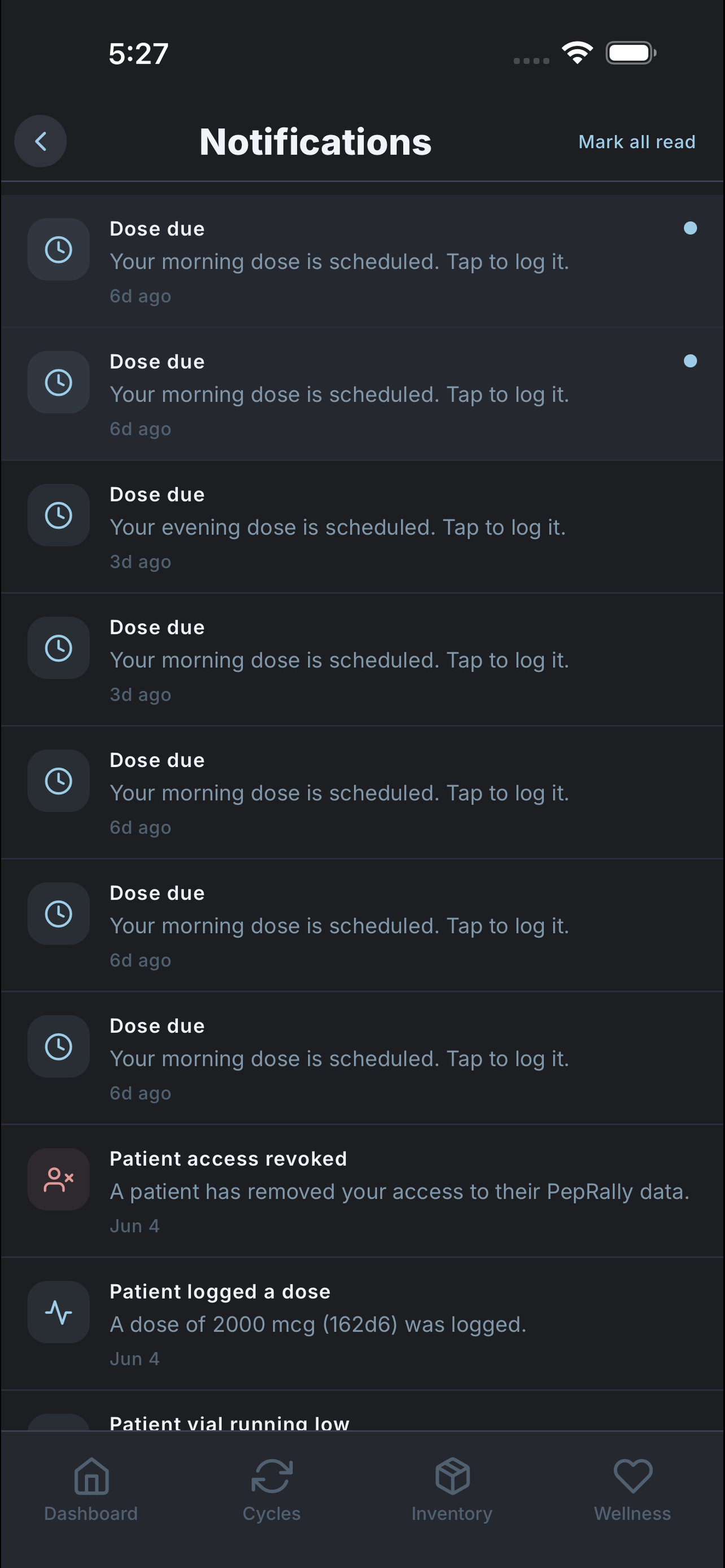
Step 14
Stay on schedule everywhere
Push reminders, iOS Lock Screen Live Activity, home-screen widget, and the Apple Watch companion keep your research log current—records you keep, not clinical advice.
So nothing slips: a nudge on your phone, a countdown on the Lock Screen, and today’s doses on your wrist with one-tap quick-log—even when you’re nowhere near the desk.
PepRally is for organizing research records on web and mobile—not a clinic, coach, or medical service. For research purposes only.